Before you start
Select the organization you want to review and make sure you can open Show up tracking.
Mark an appointment
- In the sidebar, choose Show up tracking.
- In Pending, find the appointment.
- Use the row outcome selector to choose one of Pending, Show, No show, Cancelled, or Ignore.
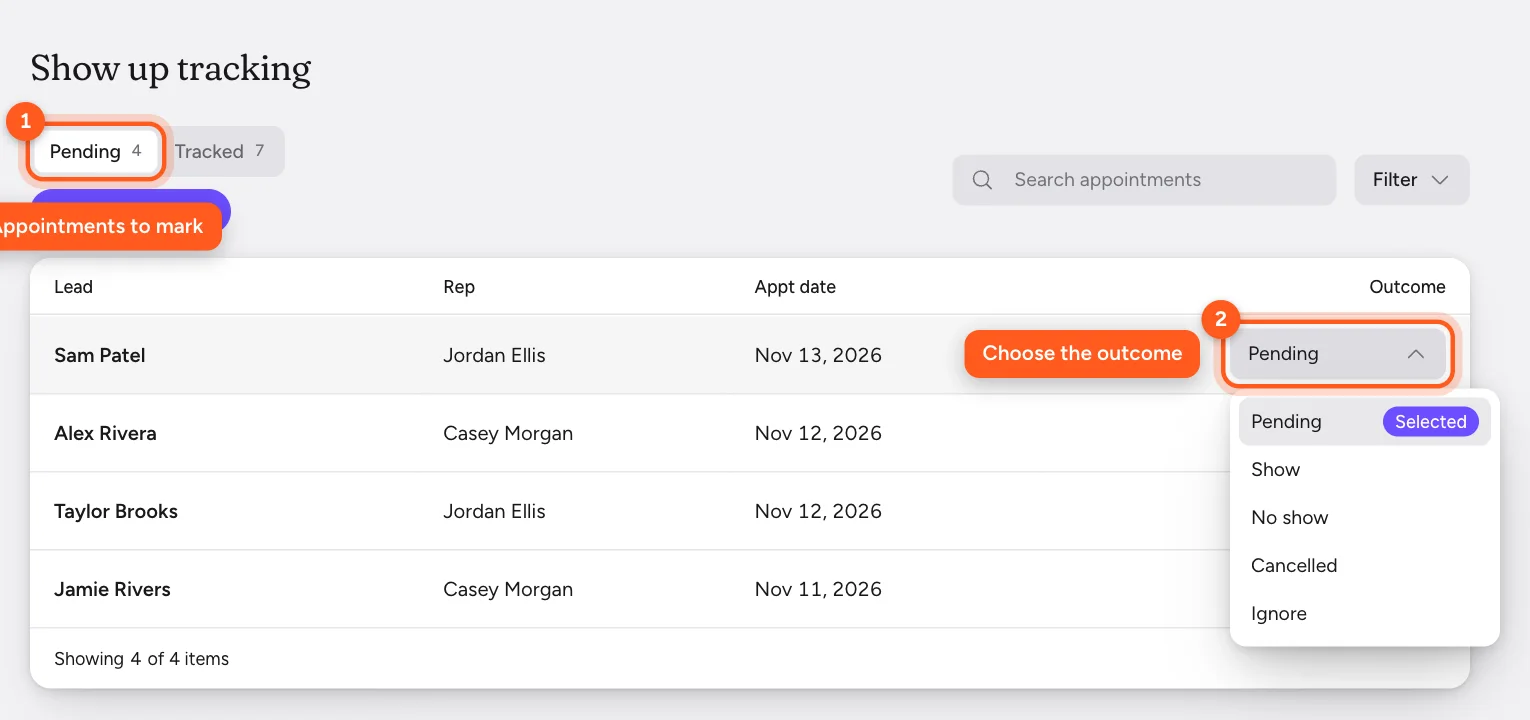
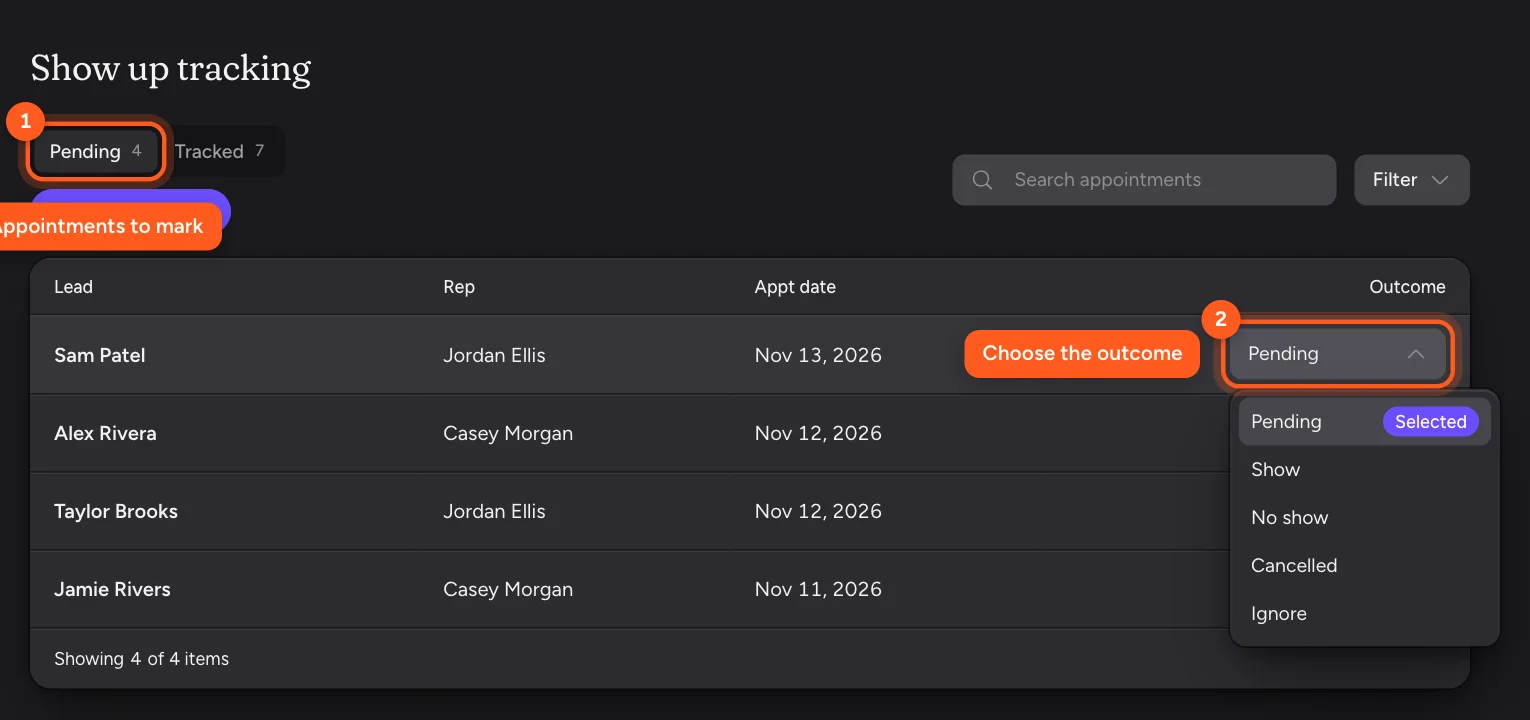
The status updates immediately. There is no separate Save button.
A message at the top of the page confirms the lead and the outcome you chose. Select Undo in it to put the appointment back the way it was. The message closes on its own after a few seconds.
If you use the appointment flow's follow-up features, review No-show recovery and Ghost Busting to understand when they run.
Edit a marked appointment
- In Show up tracking, open Tracked.
- Find the appointment.
- Use its outcome selector to choose a different outcome.
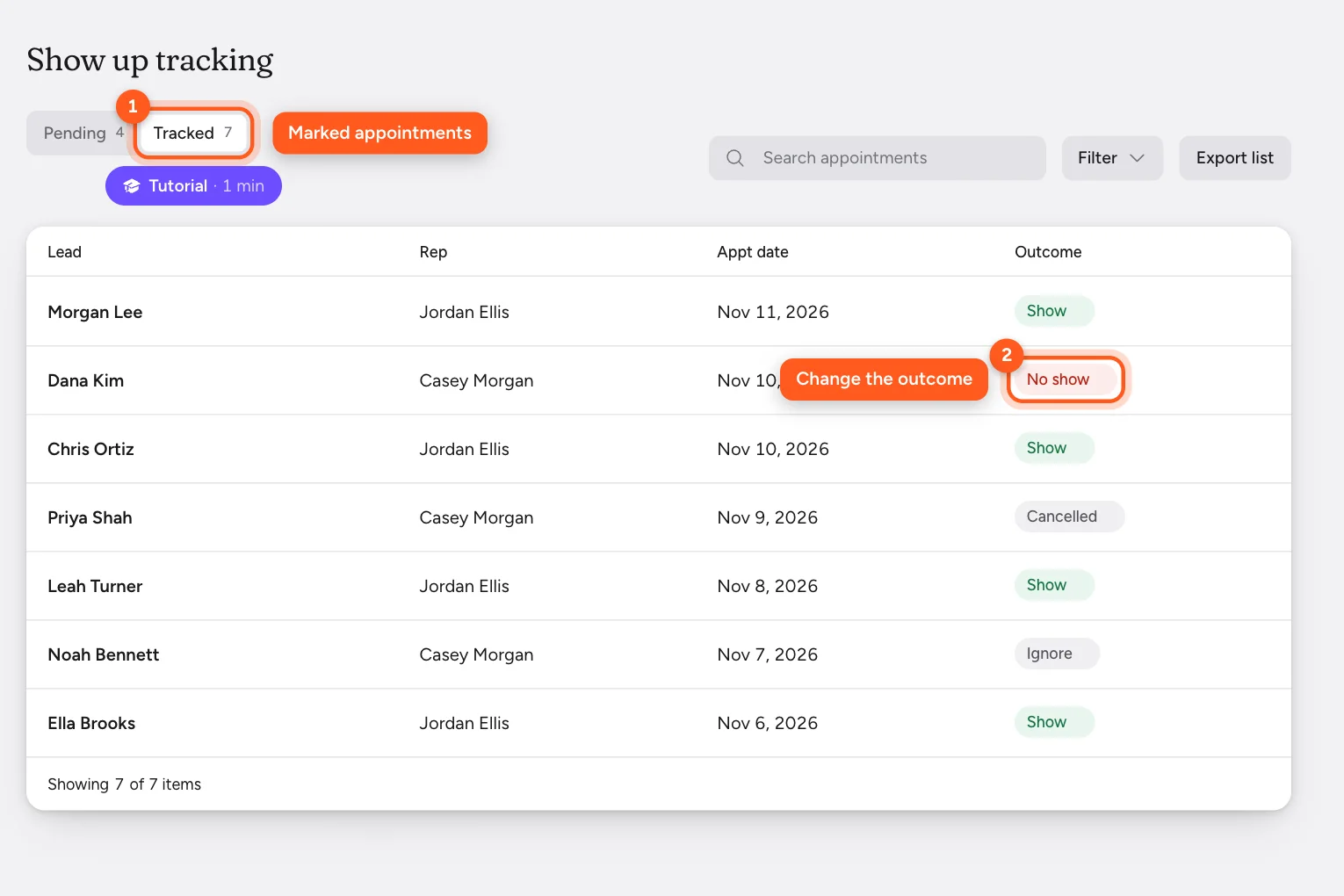
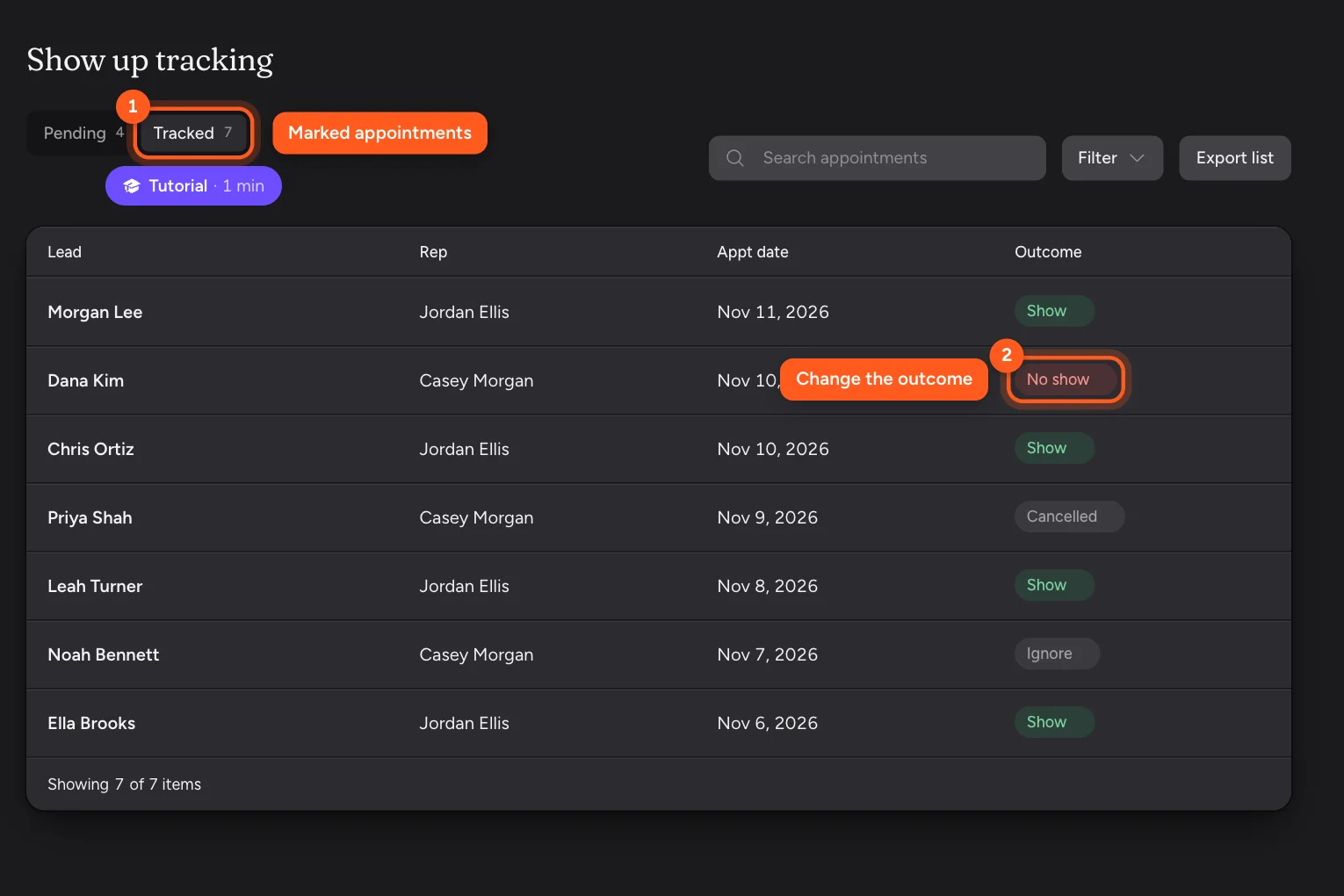
Pending remains an editable marked-state value.
In the Agency panel, Master tracker works the same way for the organizations chosen on its Dashboard or Master inbox tab.
Check your result
Confirm that the appointment appears under Tracked with the outcome you chose. In Inbox appointment context, the corresponding labels may appear as Scheduled, Pending, Showed up, No show, Canceled, or Ignored.
If an appointment is not listed
Check both Pending and Tracked. For booking or workflow context, open the lead in Use the Inbox.
Cancel a booking in its provider
Cancelled in Show up tracking and Canceled in the Inbox status selector record a local attendance outcome. They do not cancel the booking in its provider or prove provider cancellation.
To cancel a provider booking from Inbox, open the appointment and choose Cancel in … when available. Review the confirmation and check for Cancelled in … on that appointment. See Cancel an appointment in the booking provider.
HubSpot outcomes
If your account has HubSpot outcome import enabled (see Connect HubSpot meetings), ShowBoss reads HubSpot's Completed and No show outcomes for HubSpot appointments and records them as Show and No show.
- ShowBoss never infers attendance. A HubSpot meeting that has elapsed without an outcome stays under Pending.
- Custom HubSpot outcomes are not imported. Mark those appointments in ShowBoss.
- An outcome you record in ShowBoss is not overwritten by HubSpot.
- Changes in HubSpot can take a few minutes to arrive.
Review outcomes on the dashboard
The dashboard reports completed and no-show outcomes in your selected historical period. Past scheduled and pending appointments count as unmarked there. Refresh the dashboard after correcting an outcome; cancelled, ignored, and deleted appointments are excluded from its show rate.